NinjaOne vs ManageEngine: Which RMM Fits Your MSP?
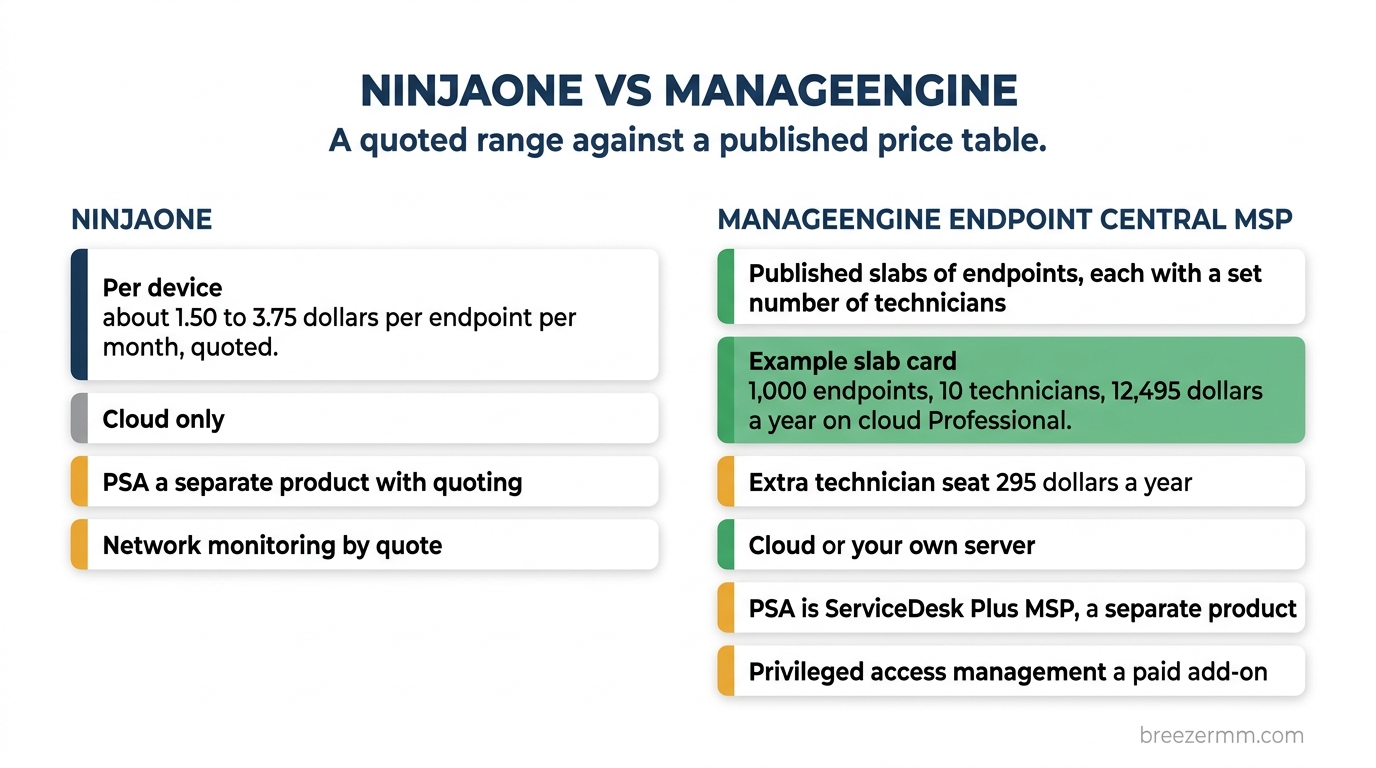
NinjaOne and ManageEngine get compared all the time, and the comparison is harder than it looks, because ManageEngine is not one product. NinjaOne is a single cloud RMM, priced per device, with a published range and a quote for the exact number. ManageEngine, the IT management division of Zoho, sells several products an MSP might mean by the name, and it puts most of their prices on a public page.
Here is the short version up front. Pick ManageEngine if you want a price you can read off a table, the option to run the server yourself or buy a perpetual license, or endpoint privilege management from the same vendor. Pick NinjaOne if you want one polished cloud console with network monitoring next to your endpoints, free onboarding and training, and a PSA built into the same platform. On published numbers ManageEngine costs less: at the two fleet sizes where NinjaOne states a rate, 50 endpoints and 10,000, ManageEngine’s cloud price is roughly half.
A disclosure before the detail: this blog is published by Breeze, an RMM and PSA vendor that competes with both products. NinjaOne’s figures were read from its own pricing page in November 2026, and ManageEngine’s from its pricing pages and store on November 18, 2026. NinjaOne’s contract rating comes from our 2026 RMM pricing index, which does not rate ManageEngine. Vendors change pricing without notice, so confirm current numbers before you budget.
Which ManageEngine product are you comparing?
Four names come up, and they are four different products.
- Endpoint Central MSP is the closest match to NinjaOne. It covers patching, software deployment, remote control, asset inventory and mobile device management across multiple clients, and it runs in ManageEngine’s cloud or on your own server. Its home page calls it “Next-Gen RMM Software”.
- RMM Central is the one with RMM in the name. It adds network discovery and SNMP, WMI and CLI monitoring to the endpoint management. It is software you install: its architecture page says the RMM Central server has to be installed in your head office.
- ServiceDesk Plus MSP is the PSA and service desk, sold separately.
- MSP Central is ManageEngine’s unified platform, which puts the service desk, endpoint management and monitoring in one place.
If you are an internal IT team and not an MSP, the product for you is Endpoint Central without the MSP suffix. ManageEngine’s FAQ draws the line: the MSP edition manages endpoints across several clients, and Endpoint Central manages the computers of a single customer. This post compares the MSP products.
Most of the pricing below uses Endpoint Central MSP in the cloud, because that is the like-for-like comparison with NinjaOne.
Pricing: a quoted range vs a published table
NinjaOne publishes a range. Its pricing page says it starts as low as $1.50 per endpoint per month at 10,000 endpoints, rising to $3.75 at 50 endpoints or fewer, and that the price varies by region and by the products purchased. Onboarding and training are free. The breakdown is on our NinjaOne pricing page.
ManageEngine publishes a table. Endpoint Central MSP is sold in slabs of endpoints, each with a set number of technician seats, in a Professional and an Enterprise edition. There is also a Free edition for up to 25 endpoints. Its edition matrix headlines $1.25 per endpoint per month for Professional and $1.50 for Enterprise, which is close to what the 1,000-endpoint slab works out to. Smaller slabs cost more per endpoint and larger ones cost less. Billed monthly, Professional is $104 for 50 endpoints, or $2.08 each, and $8,219 for 10,000, or $0.82 each.
Here is the yearly cost at the fleet sizes our index models. NinjaOne’s figures are estimates from its published floor and ceiling, not quotes. ManageEngine’s are the annual prices on its pricing page, with the technician seats each slab includes.
| Fleet | NinjaOne, per year (floor to ceiling) | Endpoint Central MSP Professional, per year | Endpoint Central MSP Enterprise, per year | Technicians in the slab |
|---|---|---|---|---|
| 50 endpoints | $900 to $2,250 | $1,045 | $1,245 | 1 |
| 250 endpoints | $4,500 to $11,250 | $4,145 | $5,095 | 2 |
| 1,000 endpoints | $18,000 to $45,000 | $12,495 | $15,445 | 10 |
| 5,000 endpoints | $90,000 to $225,000 | $47,245 | $58,445 | 30 |
| 10,000 endpoints | $180,000 to $450,000 | $82,195 | $101,695 | 30 |
Three things to read from that.
First, NinjaOne states a rate at only two points, the ends of its range: $3.75 at 50 endpoints or fewer, and $1.50 at 10,000. At both, ManageEngine’s slab is roughly half. In between, NinjaOne’s price is whatever the quote says. From 1,000 endpoints up, both ManageEngine editions are below NinjaOne’s published floor.
Second, the ManageEngine slab caps technicians. The 250-endpoint slab includes two. Each extra technician on the cloud editions is $295 a year, or $1,945 a year for a pack of ten. NinjaOne prices per device and its pricing page does not mention seats, so ask whether your quote limits them.
Third, the slab is not the whole ManageEngine bill. Vulnerability detection, application control, browser security, BitLocker management, device control, ransomware protection, malware protection and OS deployment are priced add-ons on both paid editions. Professional also leaves out some of what Enterprise includes, such as recording a remote control session and voice and video calls during one.
If you want to run the server yourself, there are two routes. Endpoint Central MSP Enterprise on your own server is $1,195 a year for 50 endpoints, $4,645 for 250 and $14,145 for 1,000. As a perpetual license the same three sizes are $2,988, $11,613 and $35,363. RMM Central, which adds the network monitoring, is listed in ManageEngine’s store at $1,195 a year for 50 devices with one user, $4,345 for 250 and $12,945 for 1,000, and an additional user is $345 a year. Its store page notes that managing and monitoring a server takes two licenses for a single device, so count your servers twice.
Contract terms and lock-in
NinjaOne’s terms are light for a vendor that prices by quote. A customer who is not in a promotional commitment can cancel with 60 days of notice, and our pricing index rates its lock-in risk Low to Medium. If your quote includes a promotional rate, ask what commitment comes with it and get the answer in writing.
ManageEngine’s cloud editions are subscription only, on monthly or annual billing, and you can buy them in its store by card or PayPal without a sales call. There is a free 30-day trial with unlimited endpoints. When it ends you can buy, extend the trial, or move to the Free edition.
The installed products work differently. RMM Central’s license agreement sets the subscription period at one year and says you must renew at least 10 days before it expires to keep using the software. A perpetual license removes that deadline, but technical support and product updates depend on a maintenance fee renewed every year.
Our index does not rate ManageEngine, and its pricing page and FAQs do not state a cancellation notice period. Ask before you commit to an annual term.
Features: where they actually differ
Both cover patching, remote control, scripting, asset inventory and mobile device management. The differences are in six places.
Deployment. NinjaOne is cloud only. ManageEngine gives you the choice. Endpoint Central MSP’s Free and Enterprise editions run in its cloud or on your own server, Professional is cloud only, and RMM Central is installed software. If a client contract or a regulator requires the management server on your own hardware, that settles it.
Network monitoring. NinjaOne has SNMP monitoring and network discovery in the same console as its endpoints, and its page says custom pricing is needed. Endpoint Central MSP’s edition matrix lists no network device monitoring. On the ManageEngine side that lives in RMM Central and in MSP Central.
Privileged access management. ManageEngine sells it. The edition matrix lists application control and endpoint privilege management as an add-on to both paid editions, and the pricing page puts the Application Control add-on at $2,595 a year for 250 devices in the cloud. We found no elevation feature on the NinjaOne site. Its FAQ suggests scripting privilege escalation workflows.
PSA. Neither includes one in the RMM price. NinjaOne PSA has been generally available since early 2026 and is built natively into the NinjaOne platform, but it is its own product with no published price. ManageEngine’s is ServiceDesk Plus MSP, a separate product with a published one: its three editions start at $13, $27 and $67 per technician per month. MSP Central packages the two. With monthly billing selected, its plans show PSA and RMM together starting at $174 for the PSA, 50 endpoints, 10 servers and 10 network devices.
Quoting and billing. On the NinjaOne side, quotes and recurring agreements are part of NinjaOne PSA, and its accounting sync is QuickBooks Online only. ServiceDesk Plus MSP bills clients automatically from predefined service plans, and its Standard edition lists QuickBooks integrations. We found no quoting feature on its product pages.
Patching and polish. This is NinjaOne’s strongest ground: a polished interface, fast onboarding, and strong patch management with broad third-party coverage. ManageEngine’s patching is broad on paper too. Endpoint Central MSP’s home page says it automates deployment across more than 1,100 third-party and OS patches. The trade-off is sprawl. The full range is spread over several products with separate price lists, which is the problem MSP Central exists to solve.
Backup and AI are thinner on both sides. NinjaOne sells backup as a paid add-on or in a bundle, and has an AI product called Katana AI, and its pricing page does not say whether the price includes it. We found no backup product on Endpoint Central MSP’s pricing page or edition matrix. MSP Central’s page lists AI features for ticket routing, ticket summaries and drafting replies.
Head-to-head at a glance
| Dimension | NinjaOne | ManageEngine |
|---|---|---|
| Product compared | NinjaOne | Endpoint Central MSP, with RMM Central and ServiceDesk Plus MSP where noted |
| Pricing model | Per device | Slabs of endpoints, each with a set number of technicians |
| Published price | About $1.50 to $3.75 per endpoint per month | $1,045 to $82,195 a year for 50 to 10,000 endpoints on cloud Professional |
| Technician seats | Not stated on the pricing page | Set per slab. Each extra seat is $295 a year in the cloud |
| Cancellation and term | 60 days notice outside a promotional commitment | Monthly or annual subscription in the cloud. One-year subscription or perpetual license when installed |
| Lock-in risk (index rating) | Low to Medium | Not rated |
| Deployment | Cloud only | Cloud or your own server |
| PSA | NinjaOne PSA, a separate product | ServiceDesk Plus MSP, a separate product from $13 per technician per month |
| Quoting | In NinjaOne PSA | Not listed on the ServiceDesk Plus MSP pages |
| Recurring billing | In NinjaOne PSA | In ServiceDesk Plus MSP |
| Network monitoring | Available, by quote | In RMM Central and MSP Central, not in Endpoint Central MSP |
| Privileged access management | Not listed | Paid add-on |
| Mobile device management | On its product menu. The price varies by products purchased | In every edition, with some features in Enterprise only |
| Backup | Paid add-on or bundle | Not listed for Endpoint Central MSP |
| AI | Katana AI. Not stated whether the price includes it | AI features listed for MSP Central |
For the same comparison across every vendor we rank, see the tables in our best RMM software guide, and best PSA software for the PSA side on its own.
Which should you choose?
You need the management server on your own hardware. ManageEngine. NinjaOne is cloud only.
You want to budget from a public price list. ManageEngine. The slab table gives you a number before you talk to anyone. NinjaOne gives you a range and then a quote.
Price is the deciding factor. ManageEngine, on published numbers. Add the add-ons and extra technician seats you need before you compare, and get NinjaOne’s quote in writing, because the quote is the only real NinjaOne price.
You want endpoints and network devices in one cloud console. NinjaOne. On ManageEngine that means RMM Central on your own server, or MSP Central.
You plan to remove local admin rights from client machines. ManageEngine has an add-on for it. On NinjaOne you are scripting it or buying a separate tool.
You want onboarding done with you and a console technicians pick up quickly. NinjaOne. Onboarding and training are free, and interface polish is what it is known for.
You want as few products and price lists as possible. NinjaOne, or MSP Central on the ManageEngine side. Stitching together Endpoint Central MSP, RMM Central and ServiceDesk Plus MSP is the opposite of that.
If you are leaving NinjaOne, our list of NinjaOne alternatives lines up the rest of the market against it.
Where Breeze fits
Full disclosure, this is our product, so weigh accordingly. Breeze is an open-source RMM with a built-in PSA, licensed under AGPL-3.0. Like ManageEngine it can run on your own server: the self-hosted Community edition is free with unlimited devices and technicians. Like NinjaOne it has a hosted plan priced per device, with the rate published on the pricing page. Quoting, recurring contracts, network monitoring and privileged access management for Windows are part of the platform and not add-ons, along with the workers, its built-in AI.
The honest caveats: Breeze is younger than either product. It is not an MDM, so phones and tablets are not managed, and both of these vendors sell mobile device management. NinjaOne’s patch management and console polish are ahead of ours today, and Breeze’s PSA syncs with QuickBooks Online only. On price, Breeze Cloud costs more per device than ManageEngine at every fleet size in the table above, so the hosted plan is not the cheap option in this comparison. The free self-hosted edition is. The detailed head-to-head is on Breeze vs NinjaOne.
Bottom line
On published prices ManageEngine is the cheaper product, and it is the only one of the two you can run on your own server or buy as a perpetual license. NinjaOne is the simpler product: one cloud console, network monitoring next to your endpoints, free onboarding, and a PSA built into the same platform. Decide first which ManageEngine product you are actually comparing. Then price the add-ons and technician seats on that side, and get a written quote on the other. The gap in the table is wide enough that the sum is worth doing properly before you sign either.
Run Breeze on your own fleet
Start the Cloud Beta in minutes, or deploy for free with Docker Compose.