How to Connect Your RMM to Other Tools: Webhooks and API Keys
Breeze RMM sends events out to your other tools with signed webhooks and lets them pull data in with scoped API keys, all from one Integrations page. This video creates a webhook, reads a live feed's delivery history, then creates, shows once and revokes a read-only API key.
4:02 Captions: English Open on YouTube
What's in the demo
- Integrations, under Settings in the sidebar: "Configuring integrations for Northfield CPA Group", Connection health reading "All connections are healthy", and one tab per kind of tool (Webhooks, Notifications, PSA, Security, Monitoring, Cloud tenants, Distributors, Accounting, UniFi, Backup)
- The PSA tab (no connections yet), Cloud tenants (Google Workspace and Microsoft 365), and Distributors: Pax8 marked Inactive, plus TD SYNNEX Pricing and Price File. Nothing is connected on the demo
- The Webhooks tab with one live feed, "Northfield ticket feed" (ticket.created, ticket.status_changed, Active), then New Webhook
- A new webhook, "Northfield on-call alerts", pointed at a placeholder URL, with the events Device Offline and Ticket Created ticked
- HMAC signature (the default), Auto-generate for the signing secret (blurred on screen), the form switched to Disabled, Create Webhook: the new row reads Disabled
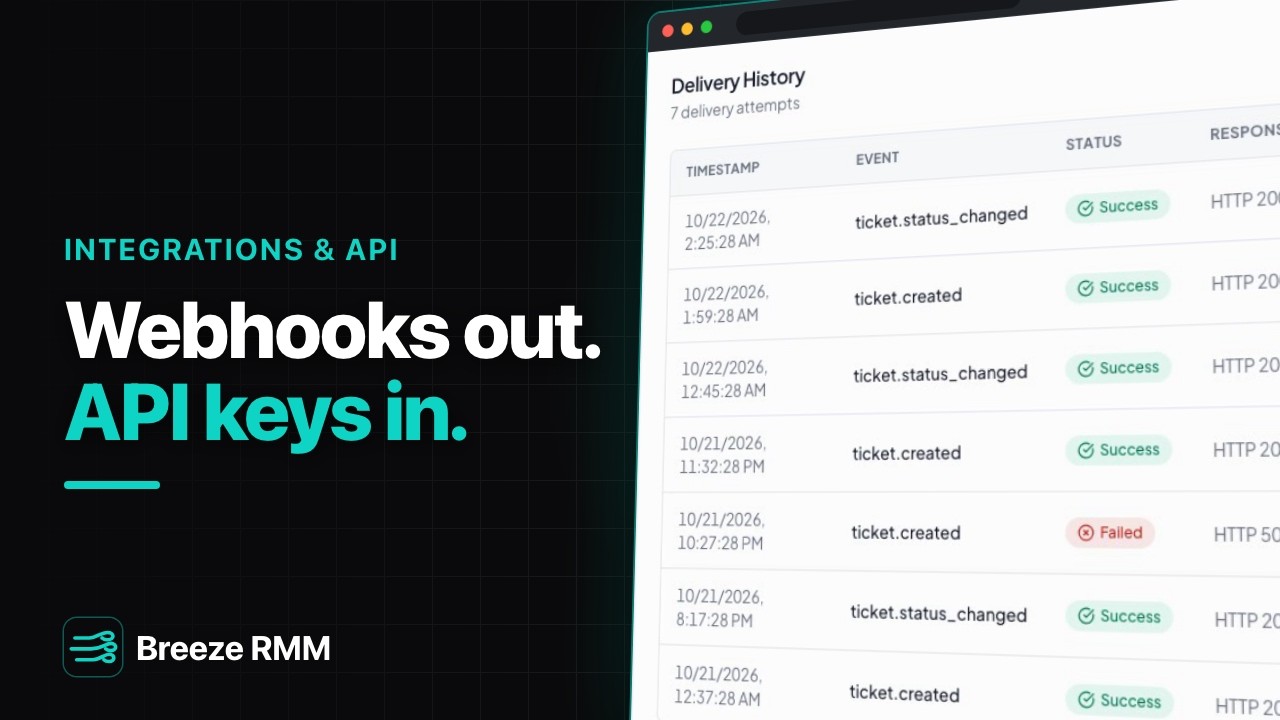
- The live feed's Delivery History: 7 delivery attempts, six HTTP 200 and one Failed with HTTP 503 and a Retry button. Retry and Test webhook are pointed at, not clicked
- Settings, API keys, Create Key: "Northfield reporting (read only)", Never expires, scopes Devices: Read, Alerts: Read and Reports: Read
- "API Key Created" with the warning "This key will only be shown once" (key blurred), then the list row: prefix brz_ plus a few characters, Active
- Rotate, then Revoke: the dialog warns "Any applications using this key will immediately lose access", and the row reads Revoked
Questions this video answers
- Does Breeze RMM support webhooks?
- Yes. Go to Integrations, Webhooks tab, New Webhook. A webhook belongs to one organization; tick the events you want, such as Device Offline, Ticket Created or Ticket Status Changed, and Breeze POSTs each one to your HTTPS URL. You can save it disabled and switch it on from the list once the receiver is ready.
- How do I verify a webhook came from Breeze RMM?
- Every delivery is signed with HMAC-SHA256 using the webhook's signing secret. Compute the HMAC over the X-Breeze-Signature-Timestamp value, a dot, and the raw body, then compare it to the X-Breeze-Signature header (sha256=...).
- What happens if my webhook endpoint is down?
- Breeze retries a failed delivery up to five times with exponential backoff. After that the attempt shows as Failed in the webhook's Delivery History, with the HTTP code and a Retry button that sends it again.
- How do I create an API key in Breeze RMM?
- Settings, API keys, Create Key. Name it for its job, tick only the scopes the tool needs, and copy the full key when it appears: Breeze shows it once and keeps only a hash. The list then shows just the brz_ prefix. Send the key in the X-API-Key header.
- Can a Breeze RMM API key do more than the person who created it?
- No. Its scopes are checked against the creator's permissions when the key is made and on every request. The key stops working if the creator is deactivated or changes their password or MFA, and Revoke shuts it off for good.
A note on the demo: the signing secret and API key are blurred, the webhook URL is a placeholder saved disabled, and nothing was sent anywhere. The delivery history is fictional demo data, as are Summit Managed IT and Northfield CPA Group. Known limits in this build: the "Alert Created" webhook event never fires (use notification channels for alerts), an API key with an expiry date can't be created (leave Never expires on), and a webhook set to Bearer token can't be saved. The details card shows the header as X-Signature; the real header is X-Breeze-Signature.
Do this on your own fleet
Everything in the video is in the product you get. Start the Cloud Beta in minutes, or self-host the open-source Community edition for free.