The Device Details Page, Every Tab Explained
Breeze RMM puts everything about one machine on a single device page, from health and hardware to patches, CVEs, script output and change history. This walkthrough covers its roughly thirty tabs in the order you'd reach for them while triaging one slow PC.
3:46 Captions: English Open on YouTube
What's in the demo
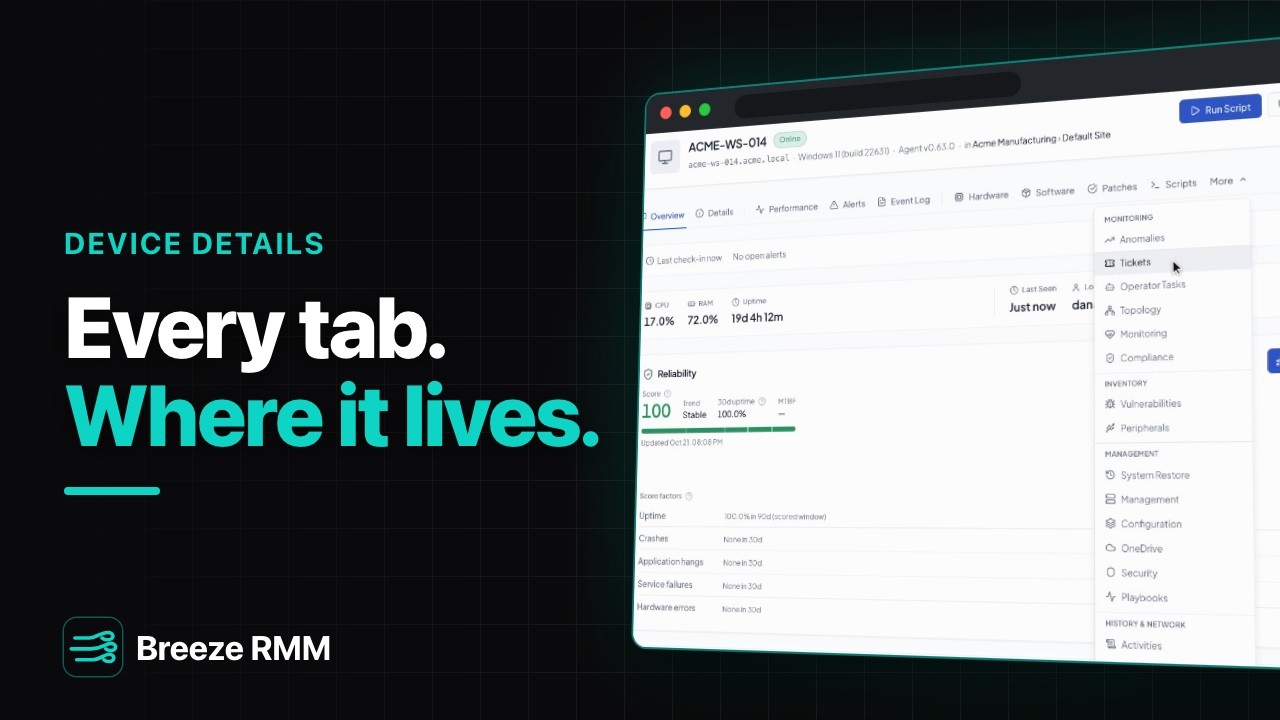
- The header of Dana's slow workstation, ACME-WS-014: Online, Windows 11 (build 22631), Agent v0.63.0, in Acme Manufacturing › Default Site (both links), with Run Script, Connect Desktop, Remote Tools and Power on every tab
- Overview: "No open alerts", CPU 17.0%, RAM 72.0%, uptime 19d 4h 12m, logged-in user dana.whitlock, and the last 24 hours of performance
- The tab row (Overview, Details, Performance, Alerts, Event Log, Hardware, Software, Patches, Scripts) and the More menu, grouped into Monitoring, Inventory, Management, and History & Network
- Details: serial 7Q2KJ34, Dell Inc. OptiPlex 7020, agent version 0.63.0. Hardware: Intel Core i5-13500, 16.0 GB with "1 of 2 slots used", and C: at 218.9 GB used of 238.0 GB, flagged warning
- Software: 10 installed apps, searched for "chrome" (Google Chrome 138.0.7204.49). Patches: 33% compliant, with a pending Cumulative Update for Windows 11 and Google Chrome 139.0.7258.67
- More → Inventory → Vulnerabilities: 4 open, all High, 3 patch ready. Google Chrome reads "3 CVEs · 3 findings · 3 patch-ready", with Remediate All
- Performance: CPU, RAM and disk over 24h, 7d or 30d (disk at 92%). Alerts: the resolved alert "Volume C: has 6.8 GB free of 238 GB. Threshold: 90%." from 10/19/2026
- Scripts, Latest per script: Clean Up Disk Space, last output "C: free after cleanup: 19.1 GB (recovered 12.3 GB)". The run opens to full stdout, a 47 s duration, Exit Code 0, and Run again
- More → Management: Configuration (the settings this device gets from its policies) and Security (scans and recent threats)
- More → History & Network → Change History, 4 rows: Spotify installed (1.2.70.409) and added to Startup yesterday, Microsoft 365 Apps updated, and the Print Spooler start type changed from manual to automatic
Questions this video answers
- Where do I see everything about one device in Breeze RMM?
- Open the device from Devices & Assets. The header shows status, OS, agent version, client and site, and keeps Run Script, Connect Desktop, Remote Tools and Power on every tab. Overview opens on open alerts, current CPU and memory, uptime and the signed-in user.
- Why can't I see every tab on the Breeze RMM device page?
- The everyday tabs sit in the row. The rest are under More, grouped as Monitoring, Inventory, Management, and History & Network. Tabs that are usually empty, such as Anomalies, Tickets and Operator Tasks, move into the row when they have something to show.
- How do I see what changed on a machine?
- Open More → History & Network → Change History. It lists software, services and startup items that were added, removed, updated or modified, with the before and after values.
- Can I see a script's output for one device?
- Yes. The Scripts tab shows the latest run of each script on that device with the last line it printed. Open a run for the full stdout and stderr, the duration and the exit code. Run again is in the same dialog.
- Can I see a device's patches and vulnerabilities in one place?
- Yes. The Patches tab shows pending and installed Windows and third-party updates and lets you run a scan or install. More → Inventory → Vulnerabilities groups open CVEs by the app that carries them. Remediate All schedules the patch when a finding is patch-ready, and it is disabled when none is.
A note on the demo: nothing was queued (Remediate All and Run again are only hovered). The device runs an older lab agent, v0.63.0. The Alerts row shows the alert's message instead of a title, and the known-exploited tile reads "Kev". All names are fictional demo data.
Do this on your own fleet
Everything in the video is in the product you get. Start the Cloud Beta in minutes, or self-host the open-source Community edition for free.