How to Deploy Software and Enforce Required Apps on Client PCs
Breeze RMM shows which apps every client machine has, finds the PCs missing a required app, deploys it through winget or Homebrew with no installer to upload, and keeps it there with allowlist and blocklist software policies.
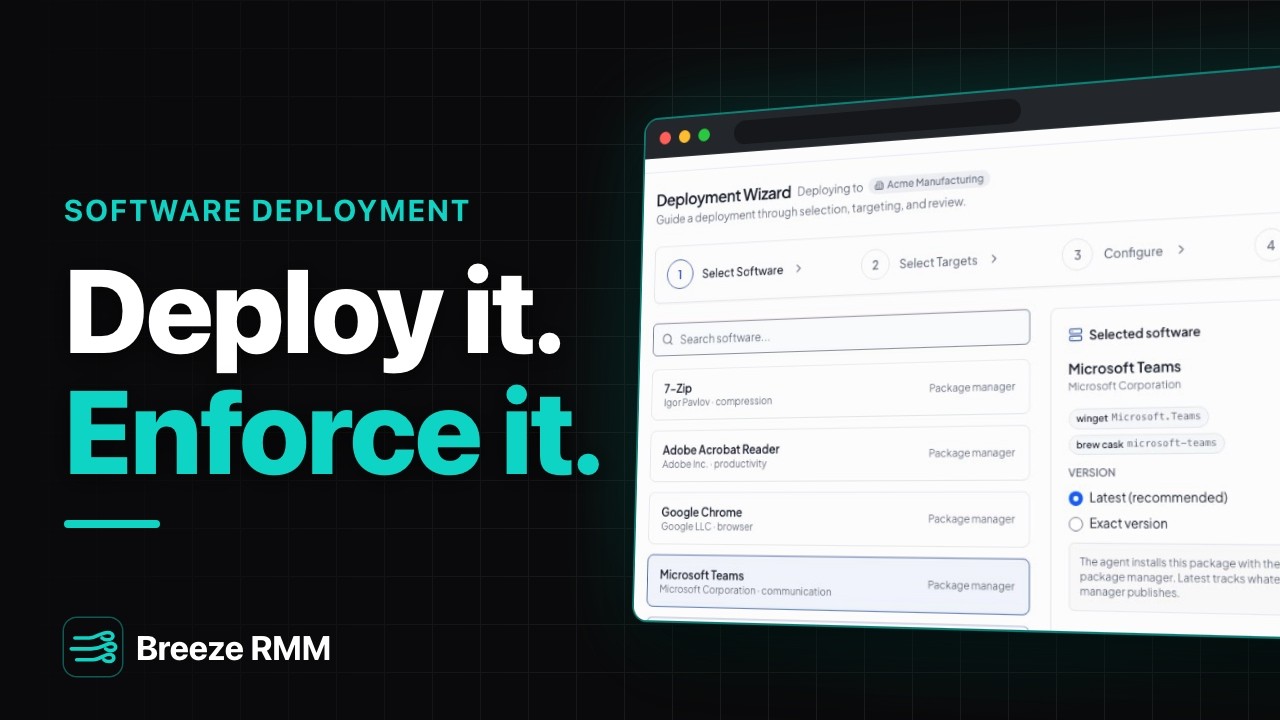
3:56 Captions: English Open on YouTube
What's in the demo
- Software Inventory for Acme Manufacturing, searched for "team": Microsoft Teams on 18 devices with Policy Status Allowed, TeamViewer on 2 devices with No Policy
- Software Policies: the "Acme required apps" allowlist with Devices Checked 21, Compliant 17, Violations 4, and Recent Violations listing ACME-WS-002, -005, -006 and -008
- The Software Library: Teams' winget (Microsoft.Teams) and brew cask (microsoft-teams) packages, Deploy, and the Deployment Wizard "Deploying to Acme Manufacturing" with Latest (recommended) selected
- Select Targets: search ACME-WS-00, tick the four flagged PCs, Selected targets 4 devices; Advanced targets a device group or saved filter instead
- Schedule for later on Saturday 07:00, then the Review card (Customer, Software, Targets, Schedule) and Create Deployment
- "Microsoft Teams latest": 0 of 4 devices finished, Pending 4, a per-device table with exit code and error columns, and Cancel
- Deployments: Scheduled 1, Completed (7D) 1, Failed (7D) 1. The Adobe Acrobat Reader rollout ("Completed with errors") shows ACME-WS-017 Failed with exit code 1618, "another installation is already in progress", and Retry failed
- A new blocklist, "Block remote-access tools" (this organization only), with TeamViewer and AnyDesk, a reason, and Enforce left off so it only reports
- Editing "Acme required apps": Allowlist mode, rules for Microsoft Teams and Adobe Acrobat Reader each linked to a catalog item, and "Allow unknown software" ticked so it only checks the must-haves
- Enforce turned on: Auto-uninstall and "Auto-install missing software" appear, with the preview "This will install missing software on approximately 4 device(s)". The edit is cancelled
Questions this video answers
- How do I deploy software to client computers in Breeze RMM?
- Go to Software, find the package in the Software Library and click Deploy. The wizard runs Select Software, Select Targets, Configure and Review; packages install through winget on Windows and Homebrew on macOS, so there is no installer to upload. You can deploy now or schedule it for later.
- How do I find which PCs are missing a required application?
- Create an allowlist software policy that lists the required apps and tick "Allow unknown software" so it only checks for those. Software Policies then shows Devices Checked, Compliant and Violations, with the non-compliant PCs under Recent Violations. A software policy only checks devices once a configuration policy assigns it to them.
- Can Breeze RMM install missing software automatically?
- Yes. On an allowlist whose rules link to catalog items, tick Enforce (auto-remediate) and then "Auto-install missing software"; the form previews how many devices it would touch before you save. Auto-uninstall removes software a policy forbids. The demo shows both options and cancels without saving.
- How do I see why a software deployment failed?
- Open the deployment from Software → Deployments. Each device row shows its status, start and finish times, exit code and error message. Retry failed sends the deployment again to the failed devices only.
A note on the demo: the deployment status line reads "In progress" for the scheduled Teams rollout (0%) and for the finished Reader rollout (100%); that label is a known display bug. In this build each device follows one software policy at a time, so the new blocklist is created but not assigned to Acme's PCs. The Reader failure is seeded demo data, and all names are fictional.
Do this on your own fleet
Everything in the video is in the product you get. Start the Cloud Beta in minutes, or self-host the open-source Community edition for free.