Breeze RMM for iPhone Is on the App Store
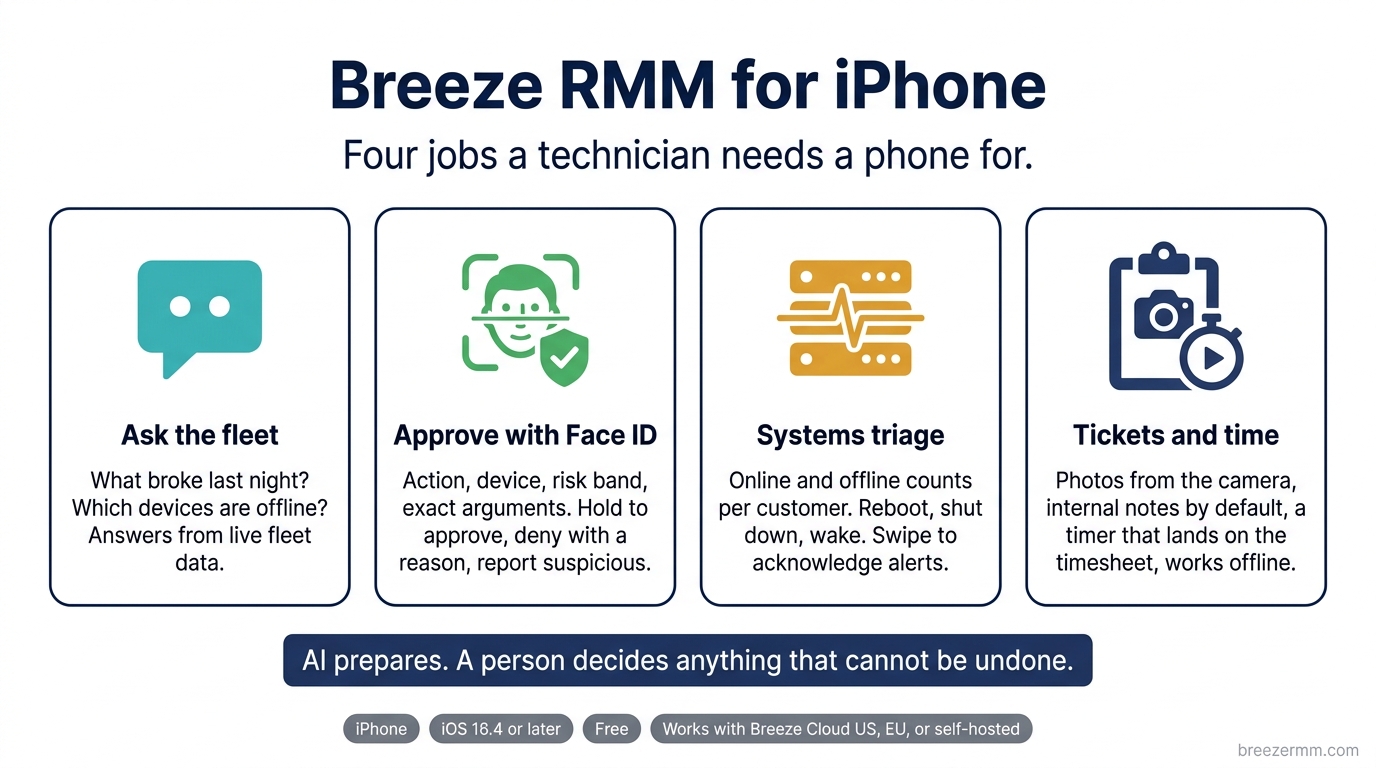
The Breeze RMM app for iPhone is live on the App Store. Download it here. It is free, it works with Breeze Cloud in the US or EU and with your own self-hosted server, and you sign in with the Breeze account you already have.
We did not build a small copy of the web console. We built the four things a technician actually needs a phone for, and left the rest on the desktop where it belongs.
You land in a chat, not a dashboard
Open the app and the home screen is the Breeze AI assistant with your live fleet behind it. Ask what broke last night. Ask which devices are offline at a customer. Ask what ran through MCP today. The answers come back as device cards, alert rows, and script output built from your real data, not a summary of a summary. You can type the question or say it.
Ask it to restart a service or run a script and it prepares the action. It does not execute it. That is the next part.
Approve privileged actions with Face ID
When the assistant, an automation, or another technician needs to do something privileged, the phone takes over the screen with an approval card: what the action is, which device it touches, how much impact it carries, and the exact tool arguments. You hold to approve with Face ID or Touch ID, deny with a reason, or report it as suspicious. Reporting revokes the requesting client and its tokens and writes a security audit entry.
Under the hood the phone registers as an approver device. On supported iPhones the approval is signed with a key in the Secure Enclave and backed by App Attest, so the server knows the approval came from this phone and this person, not from a replayed token. AI prepares. A person decides anything that cannot be undone. That has been the Breeze rule since day one, and now the deciding can happen from a parking lot.
Systems: triage, not configuration
The Systems tab shows online, offline, and open-issue counts for every organization, with live updates as alerts fire and clear. Drill into a customer, filter devices by status, and open a device for CPU, memory, disk, IP addresses, the logged-in user, last seen, and its open alerts and tickets.
From a device you can reboot it, shut it down, or wake it with Wake-on-LAN. Alerts acknowledge with a swipe and give you a moment to undo. Fleet hygiene findings can be acknowledged, dismissed with a note, or reopened. Anything deeper than that, run it through the assistant or wait until you are back at a desk.
Tickets and time from the field
The ticket queue filters by open or closed, mine or all. Create a ticket with organization, priority, and assignee. Reply to the requester or add an internal note, and internal is the default so a mis-tap never emails a customer. Attach photos of the hardware, the screen, or the cabling straight from the camera.
Start a timer on any ticket and it follows you across the app. Stop it and the entry lands on your weekly timesheet, marked billable or not. Time entries save offline and sync when you are back on a network, so the basement job still gets billed.
Built for the job
- Push notifications for approvals, tickets assigned to you, and SLA breaches. Lock-screen bodies carry the ticket number and customer only, never the subject.
- Face ID or Touch ID app lock, with fleet data hidden from the iOS app switcher.
- Two-factor sign-in with TOTP, SMS, or recovery codes. A list of your signed-in phones with one-tap revoke, and the same list is visible to your admins.
- Works with Breeze Cloud US, Breeze Cloud EU, or the URL of your own Breeze server.
- The assistant runs through your Breeze server. No model credentials live on the phone.
What it is not
It is iPhone only for now. There is no iPad layout. Android is built in the same codebase and has not shipped to Google Play yet. The app does not do remote desktop, remote shell, or file transfer, and it will not run a script from a button on the device screen. Those are desktop jobs, and the assistant covers the cases that come up in the field.
The app is for existing Breeze customers. Accounts come from your organization admin, and there is nothing to buy inside it.
Get it
Breeze RMM on the App Store. Requires iOS 16.4 or later.
If you are not on Breeze yet, the whole platform is open source and free to self-host, and the Cloud beta is open. The mobile feature page has the current capability list, and the source for the app lives in the main Breeze repository under apps/mobile.
Found something broken? Tell us in Discord or open an issue on GitHub. First releases have rough edges, and the fastest way to smooth them is a technician in the field telling us where they are.