What Enterprise Linux Management Is Missing
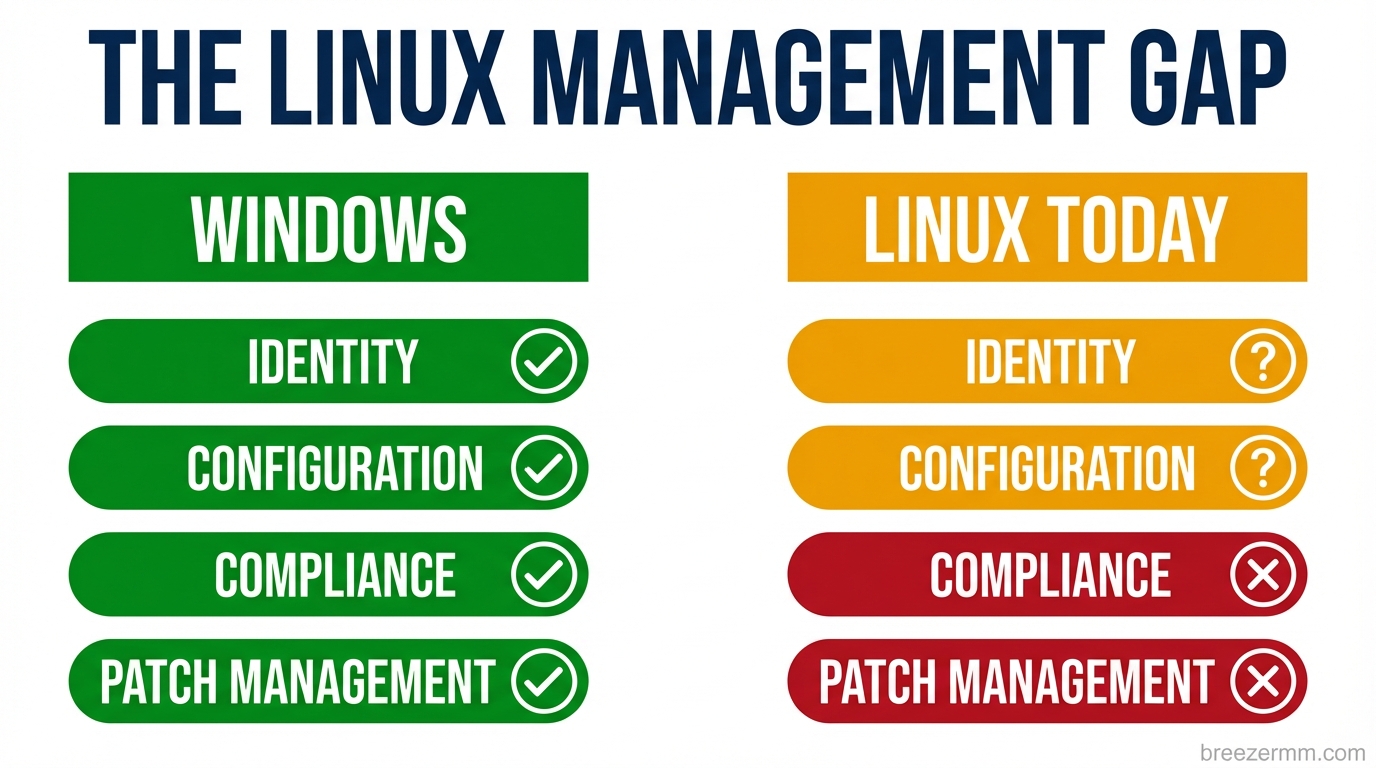
France’s Direction Interministérielle du Numérique recently announced a coordinated migration of government desktops away from Windows. They are not the first government to attempt this. They probably will not be the last. The usual pattern with these announcements is that the OS migration itself goes fine, Linux is a capable desktop platform, and the project stalls on the surrounding infrastructure. The devices work. The management layer does not.
That is not a political observation. It is a tooling observation. The management layer for enterprise Linux fleets does not exist in the same form it exists for Windows, and the gap is significant enough that organizations attempting large-scale Linux migrations consistently underestimate it.
This post is about what is missing and what needs to be built. We are building parts of it inside Breeze. This is an honest accounting of where things stand.
What the Windows management stack actually provides
To understand the gap, it helps to be precise about what Windows gives you that most Linux discussions gloss over.
Active Directory and Entra ID handle identity: who can log into which machine, what groups they belong to, what they are allowed to do. A Windows machine joined to a domain gives you centralized authentication, group-based access control, credential caching for offline login, and an audit trail for every login event. Entra ID extends this to cloud identity with SSO, conditional access, and MFA enforcement. The implementation is not elegant, but the problem is solved.
Group Policy handles configuration. An administrator defines policy (screen lock timeout, USB storage behavior, firewall rules, password complexity, installed software restrictions) and those policies push to every machine in scope without touching each machine individually. When a machine joins the domain, it pulls its policies. When policies change, machines update automatically. The configuration gap between what you intend and what exists on every endpoint narrows to near zero.
Intune handles the MDM layer: device compliance, app deployment, configuration profiles, patch management. It integrates with Entra for conditional access, which means you can enforce policy at the network level: a device that is not compliant cannot reach protected resources, regardless of user credentials.
Windows Update for Business and SCCM handle patching: approval workflows, deployment rings, rollback, reporting. An administrator can see exactly what is installed on every device, approve updates, schedule them, and verify they landed.
The sum of these pieces is a management plane. Organizations with thousands of endpoints can maintain consistent configuration, prove compliance, control access, and deploy changes without touching individual machines. It took Microsoft decades to build this stack. It is deeply integrated, often frustrating, and genuinely irreplaceable for organizations that depend on it.
What Linux has
The Linux tools that address these problems exist. They are not a management plane. They are a collection of components that each solve a piece of the problem, poorly integrated with each other, and almost entirely hostile to MSP use cases where you need to manage fleets across multiple organizations from a single interface.
SSSD with Kerberos and LDAP is the closest Linux equivalent to AD domain join. It works. Getting it working requires configuring Kerberos realms, LDAP connections, and PAM modules correctly, and that configuration varies in nontrivial ways across distributions. An MSP managing fifty client organizations, each with slightly different setups, across Ubuntu, Debian, and Fedora, is maintaining fifty slightly different SSSD configurations. FreeIPA simplifies this in Red Hat environments and adds nothing outside them.
Ansible, Puppet, and Chef handle configuration management. They are sysadmin tools. They require infrastructure: a control plane to run from, inventories to maintain, playbooks to write and test. They have no MSP console. There is no concept of a partner with multiple client organizations. There is no GUI where a nontechnical administrator can see which machines have drifted from their intended configuration and push a fix. These are tools for engineers at single organizations who can invest months in building the automation around them.
Landscape is Canonical’s managed Linux tool. It is Ubuntu-only. In a heterogeneous fleet (Ubuntu LTS for most desktops, Fedora for developers, Debian for some servers) Landscape covers part of the inventory. The rest requires something else.
Patch management across Linux distributions is fragmented by design. apt, dnf, and zypper each have their own semantics, their own update models, and their own quirks around dependency resolution. Orchestrating patching across a mixed fleet (scheduling maintenance windows, requiring approval before kernel updates deploy, verifying patches landed and the machine rebooted) requires building the tooling yourself or accepting that each distribution gets managed differently.
The honest summary: Linux tools exist for each individual layer, and each individual layer works if you are willing to invest in configuring it. What does not exist is the integrated management plane: the thing that lets an MSP technician or enterprise IT administrator manage a Linux fleet the way they would manage a Windows fleet. No equivalent of the unified console. No workflow that connects identity to policy to compliance to patch management without custom engineering.
Why this is a worse problem than it looks
Most organizations that attempt Linux migrations at scale hit the tooling gap at around the same point. The first hundred machines go smoothly. The OS works. The applications run. Then the compliance team asks for a report showing which machines have full-disk encryption enabled and who the local administrators are. Or the security team wants to know why three machines have a firewall rule that differs from the baseline. Or a technician leaves and someone needs to revoke their SSH access across 200 endpoints within the hour.
These are routine operations in a Windows shop. They are engineering projects in a Linux shop that does not have the management layer built.
The deeper issue is that the gap compounds. An organization that cannot verify configuration state cannot prove compliance. An organization that cannot prove compliance cannot satisfy audit requirements. An organization that cannot enforce policy centrally cannot respond to security incidents at the speed they require. The tooling gap is not just inconvenient. It blocks the entire security and compliance story.
The AI layer changes the urgency
There is a second argument for building this infrastructure now that is less obvious but more significant in the long run.
The way enterprise software is consumed is changing faster than most organizations are accounting for. The application layer, the installed software or SaaS tool that provides a user interface for a category of work, is not going to disappear overnight. But its role is shrinking. When an AI agent can draft a document, query a database, manage a relationship, and generate a report through tool calls, the application is no longer the primary interface. The underlying data and the AI that operates on it are the interface. The application becomes a rendering layer.
This shift is further along in technical environments and slower in regulated industries, but the direction is consistent. The question for enterprise Linux is not only “can Linux replace Windows as a desktop OS.” It is “if the application layer is collapsing, what does enterprise infrastructure need to look like in the world that comes after it.”
Linux has structural advantages in that world. The OS is auditable. The tooling is composable. Every process, every service, every file is accessible through standard interfaces. AI agents integrate with Unix process models natively: shell, subprocess, stdin/stdout, file system. The open-source licensing means there is no per-seat tax on AI-managed endpoints.
But none of that matters if the management plane is not there. An AI agent that can manage Linux endpoints is only useful if those endpoints are enrolled, authenticated, policy-enforced, and observable. The management layer is the prerequisite, not an afterthought.
What we are building
Breeze is an open-source RMM. The agent runs on Linux today: it collects hardware inventory, monitors services, manages patches, ships logs, and supports remote access via WebRTC. That is a foundation, not the full picture.
We are building three modules to close the gaps described above, as standalone open-source projects that integrate with Breeze but can be used independently.
breeze-identity is a PAM-integrated identity daemon for Linux. It handles device enrollment to an identity provider (Entra, Okta, LDAP, or Breeze’s own directory) with local credential caching for offline login, SSH key distribution from a central store, and group membership sync. It is designed to work across Ubuntu, Debian, and Fedora without requiring a Red Hat environment. The problem it solves: Linux machines that behave like managed endpoints when it comes to authentication, not machines where each admin has their own SSH key in the authorized_keys file.
breeze-policy is a systemd service that enforces configuration policy pushed from a central management plane. Screen lock, USB storage, firewall rules, package restrictions, LUKS enforcement: policy is defined once, pushed to every device in scope, enforced locally even when the device is offline, and compliance state is reported back automatically. The problem it solves: the gap between intended configuration and actual configuration on every managed Linux endpoint.
breeze-mcp is a device-side MCP server. It exposes the Linux endpoint as a set of tools (file operations, package management, service control, user management, log queries) that are callable from AI agents through the Breeze Cloud MCP layer. An AI agent that can ask “which devices in this site are running a kernel older than 6.8” and receive a structured answer, then schedule a patch cycle on the affected machines, is operating on a meaningfully different substrate than one that has to SSH into each machine and parse text output. The problem it solves: making Linux endpoints AI-addressable, which is the prerequisite for managing them through anything other than manual operations.
These are not features inside Breeze. They are separate projects: open-source, independently installable, useful without the Breeze management console, and significantly more capable with it.
The honest admission
The Windows management stack took decades to build and billions of dollars to maintain. We are not replacing it in a sprint. What we can do is build the right foundation, open-source, distro-agnostic, AI-native from the start, so that the Linux management plane that does not exist today can be assembled incrementally rather than requiring a single organization to build the entire thing.
The France announcement is not the first government Linux migration and will not be the last. The ones that succeed will have solved the management layer. We intend to be part of how that gets solved.
The code is at github.com/lanternops/breeze. The modules are in development. If you are an MSP or internal IT team that manages Linux endpoints and has felt the gap described here, we want to hear from you, specifically about which part of this hurts most.
Breeze RMM is open source. The identity, policy, and AI integration modules described here are in active development. Early access and feedback: breezermm.com.